The scene editor

Every scene, edited the way players will see it.

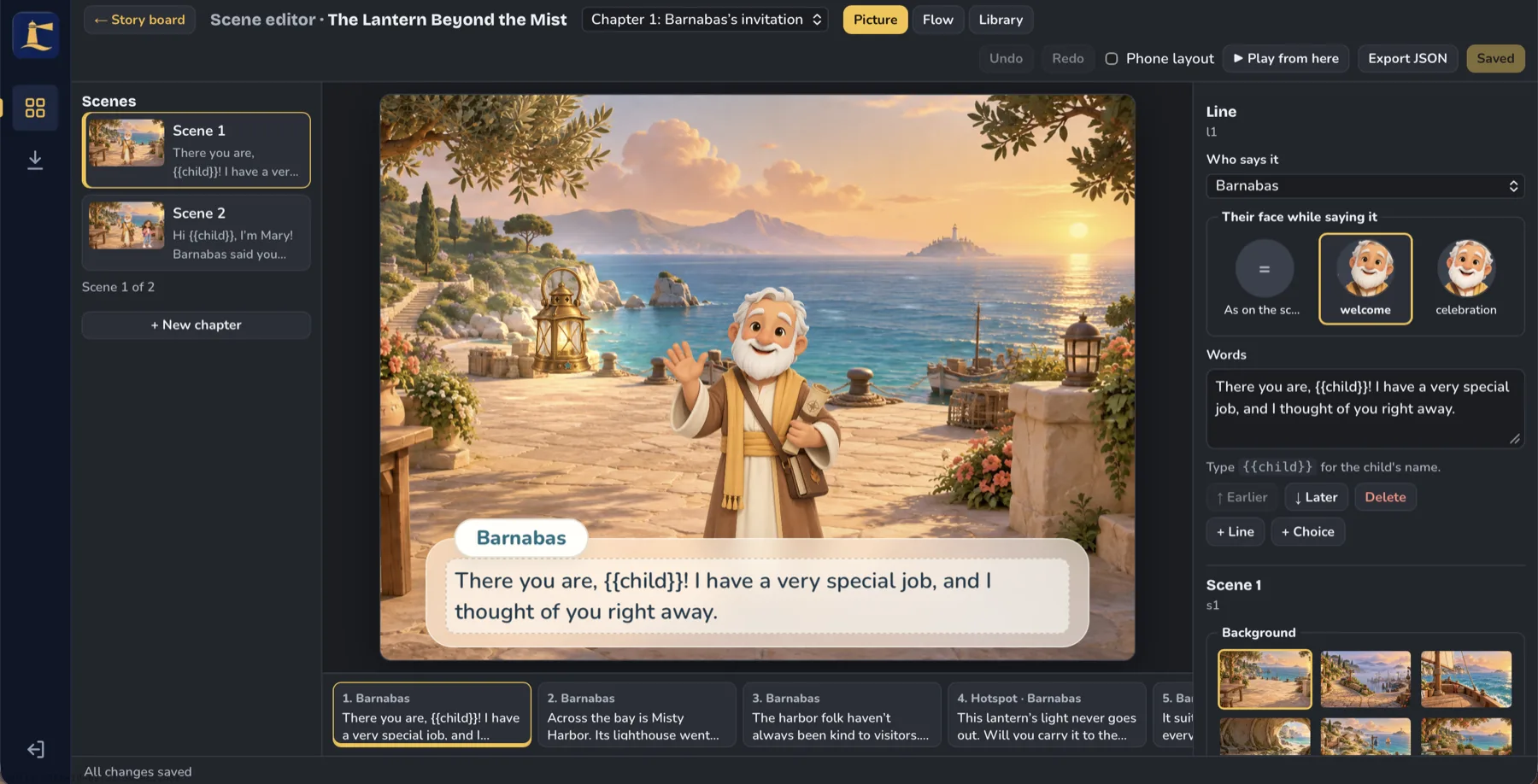
Choose a background, bring in your characters, and write what they say. Pick the face each character makes on every line, add a choice or a hidden detail to tap, and press “Play from here” to try it at once. Stories can even greet each player by name.

The Beacon Studio scene editor showing Barnabas on a seaside terrace, his line of dialogue, a choice of facial expressions, and a row of backgrounds.
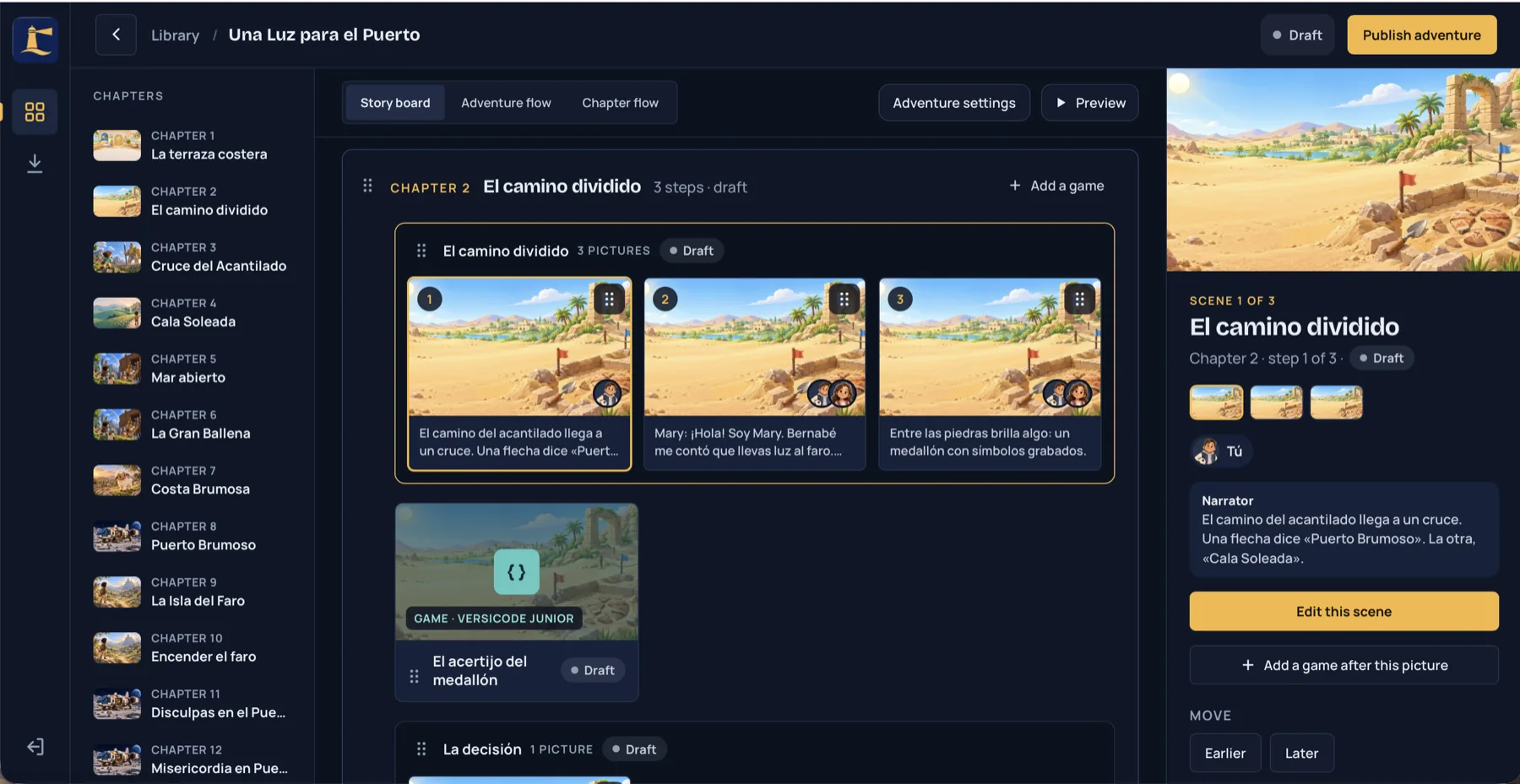
The story board with a chapter’s three pictures, a puzzle game card, and the selected scene’s details in the side panel.

Story board

See the whole adventure at a glance.

Chapters, pictures, and interactive moments sit in order on a single board. Drag a step to change when players meet it, add an interactive moment after any picture, and keep every chapter in draft until it is ready.

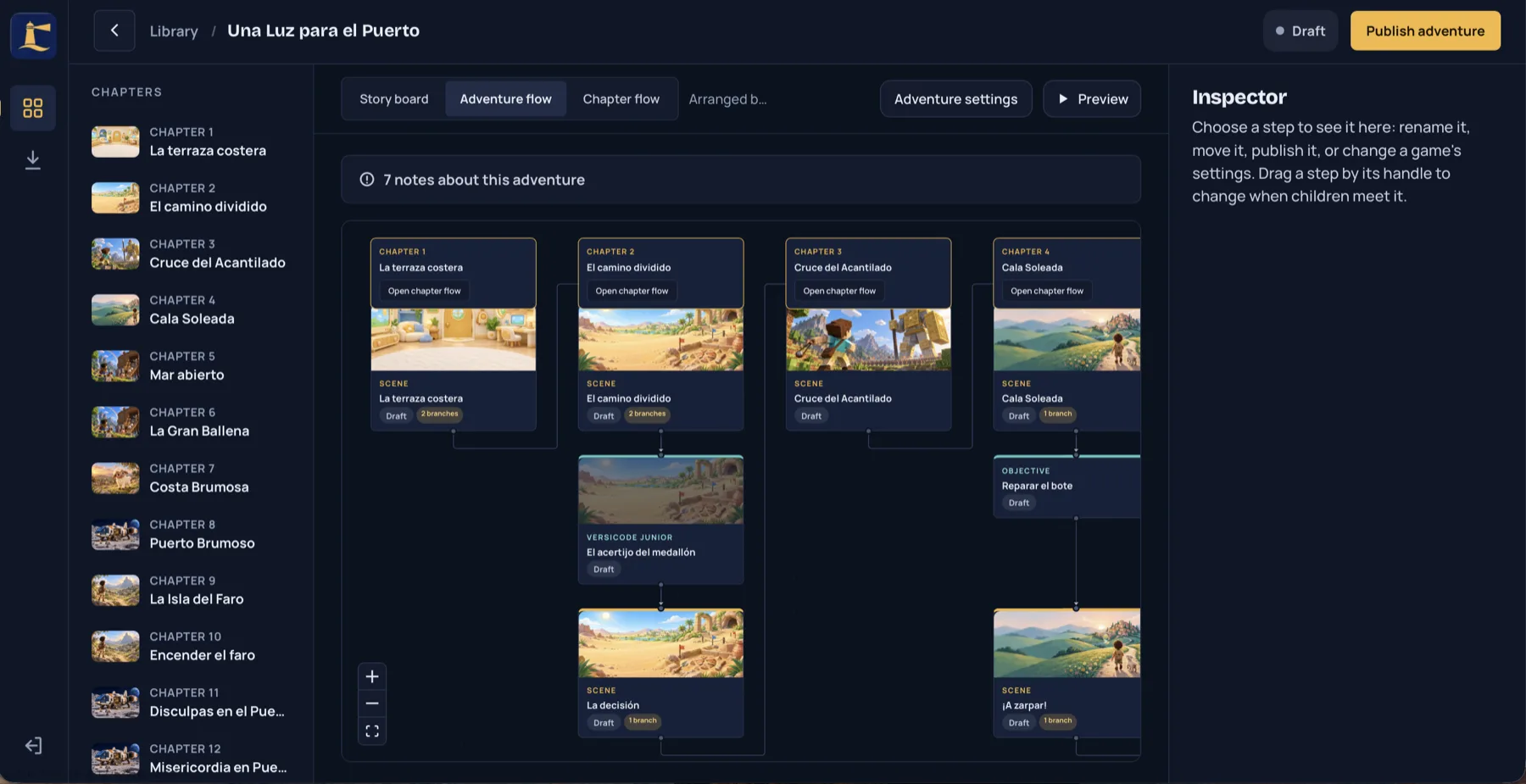
The adventure flow, a map of chapters leading to scenes, puzzles, and objectives.

Adventure flow

Map the journey from chapter to chapter.

Follow how scenes, puzzles, and objectives connect across the whole adventure. Beacon Studio writes up notes on anything that needs attention, so nothing reaches players half finished.

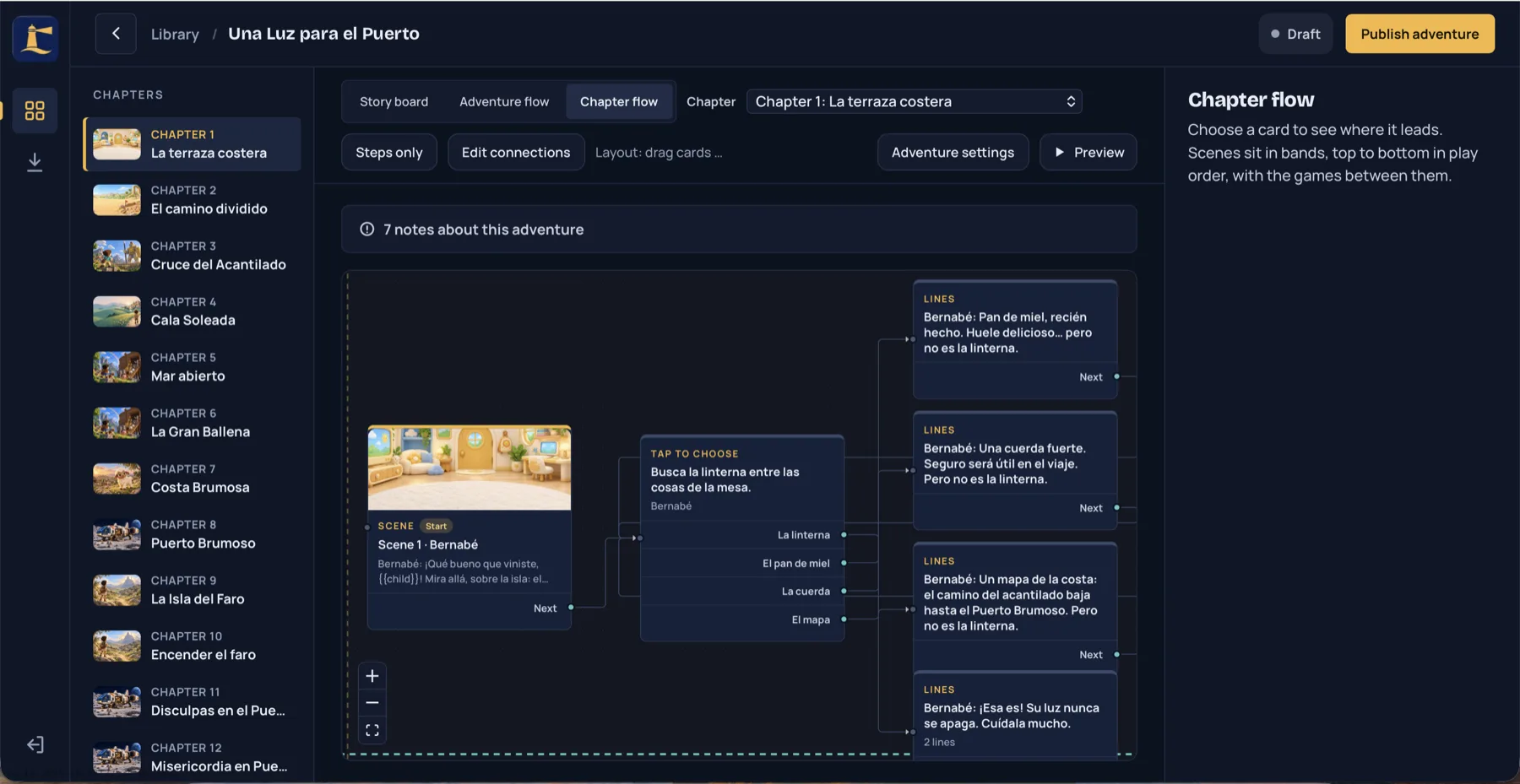
The chapter flow, where one scene leads to a tap-to-choose question with four answers, each one leading to its own lines.

Chapter flow

Branching stories, without the tangle.

Each choice leads somewhere real. You can see every path a player can take and redraw the connections by hand. Beacon Studio flags dead ends and missing links before you save, so a player is never left stuck.

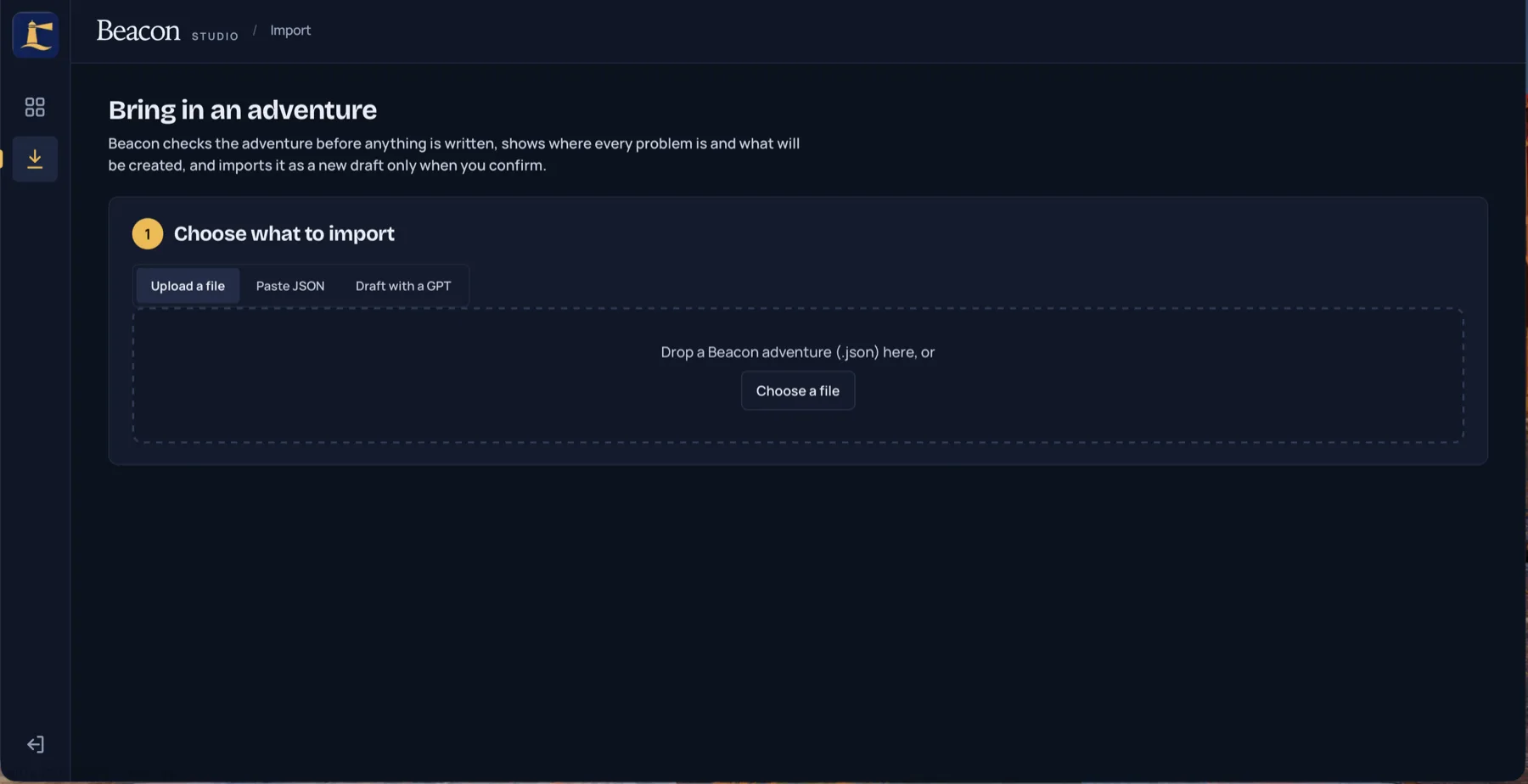
The import screen, where an adventure can be uploaded as a JSON file, pasted in, or drafted with a GPT.

AI-assisted drafting

Draft the storyline with AI, then make it yours.

Outline your story with any AI agent and bring the result into Beacon Studio as a JSON file. Beacon checks it before anything is written, shows exactly where each problem is, and creates a new draft only when you confirm. From there, you shape it scene by scene.

Everything you need to build interactive adventures.

Extend it with custom features

Beacon Studio connects to features built for your project, so a story can pause for a quiz, a challenge, or a hands-on activity.

Multilingual

English and Spanish come built in, and we can add other languages on request.

Any screen

Scenes rearrange themselves for desktop, tablet, and phone, and you can preview the phone layout while you edit.

Voices and read-aloud

Attach a recorded reading to any line. Lines without one can be read aloud by the device.

A reusable art library

Backgrounds, characters and their faces, and props live in one library that every chapter can share.

Progress that carries on

Players pick up right where they left off, and finishing one adventure can unlock the next.

What you can build

From story games to online training.

Story-driven games

Graphic adventures where players explore, make choices, and solve puzzles, chapter by chapter.

Online training and onboarding

Branching scenarios where learners practise real conversations and decisions, and see where each choice leads, before they face them at work.

Interactive lessons and presentations

Guided stories that turn a lesson, a talk, or a product walkthrough into something people step through, not just watch.

Made with Beacon Studio

Everything in Versia Kids.

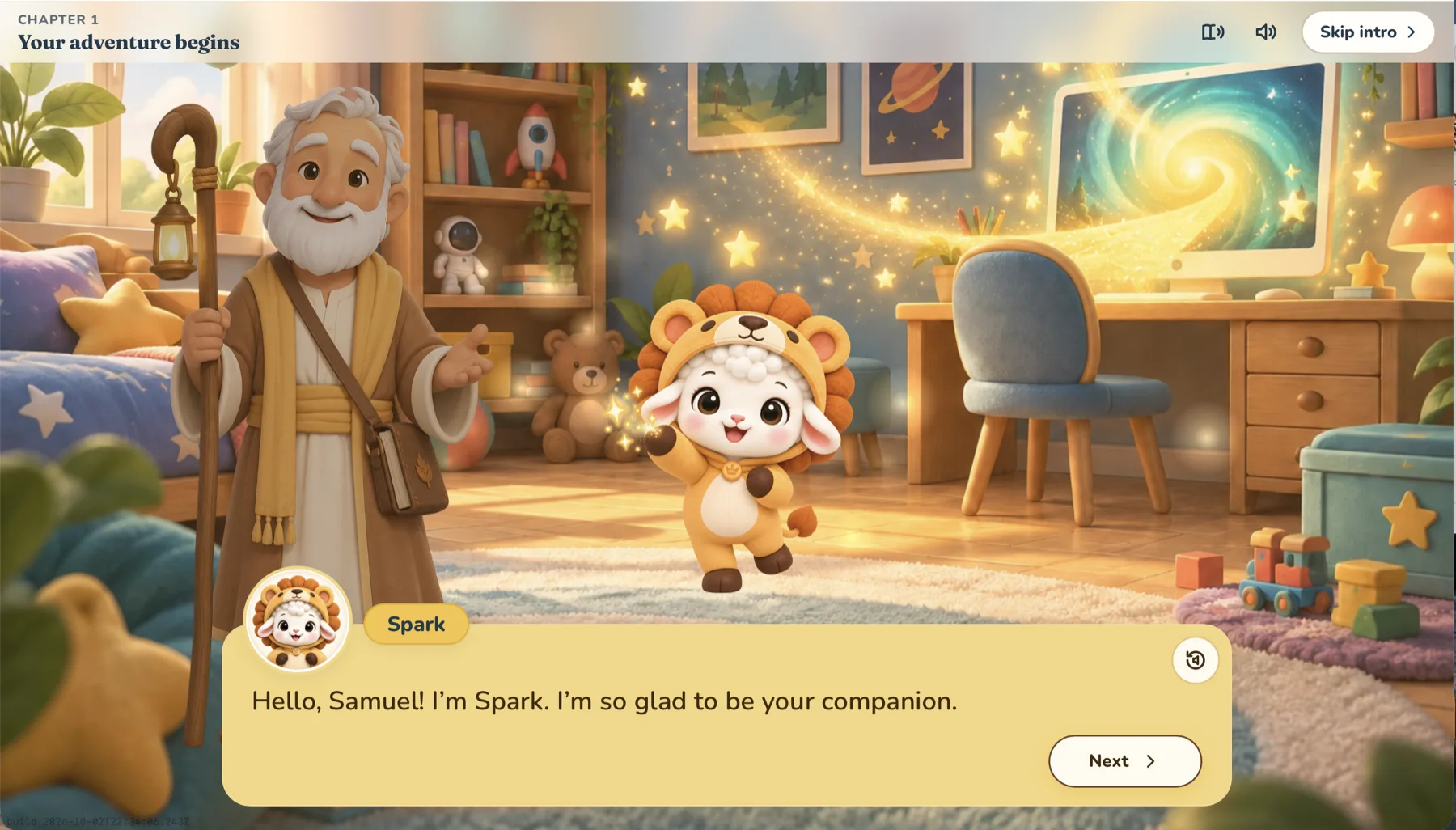
From illustrated story adventures to word games, trivia, hidden-object scenes, and block-building worlds, everything in Versia Kids is created, previewed, and published in Beacon Studio.

Visit Versia Kids
Versia Kids as a child sees it: Barnabas and Spark, a lamb in a lion costume, in a cosy bedroom, with Spark saying “Hello, Samuel! I’m Spark. I’m so glad to be your companion.”

Questions

Frequently asked questions

What is Beacon Studio?

Beacon Studio is Versia’s proprietary authoring tool for interactive graphic adventures. You build illustrated scenes, characters, branching choices, and interactive moments visually, then publish them to play in the browser.

Can Beacon Studio be used for online training?

Yes. The same branching scenes that power story games work for scenario-based training: learners make decisions, see where they lead, and pick up where they left off. We tailor the interactive activities to each project.

Do I need to know how to code?

No. Scenes, dialogue, choices, and the flow of the story are all edited visually.

Which languages does it support?

English and Spanish are built in, and other languages can be added on request.

Can I draft an adventure with AI?

Yes. Outline the storyline with any AI agent and import the result as a JSON file. Beacon Studio checks it and creates a draft for you to refine.

How can I get access?

Beacon Studio is available through Versia. Request a demo and we’ll walk you through it and talk about your project.
Have a story to tell?

We’ll walk you through Beacon Studio and talk about how it could carry your adventure, lesson, or presentation.

Request a demo